
Good Morning/Afternoon/Evening CTFers! I’m 5h1kh4r and this post will include my writeups for all the Rev challenges in the UrchinSec Aware CTF 2024. These are the challenges from the Rev category:
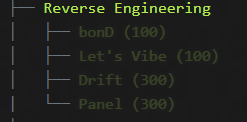
- bonD (100)
- Let’s Vibe (100)
- Drift (300)
- Panel (300)
So without any further discussion, let’s start with the writeups!
- bonD
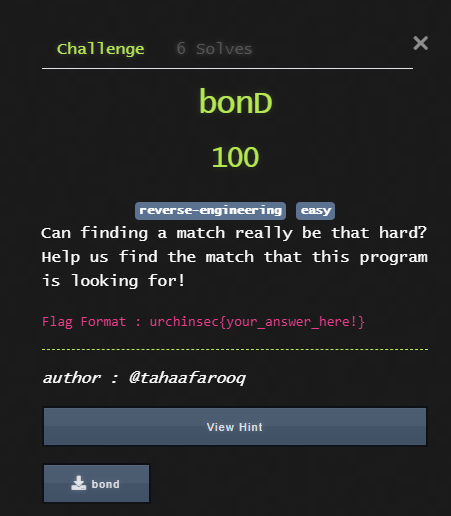
We were given a binary file to work with (bond) so we work with that only.
Step 1: Initial Steps
I opened the file in notepad to see if there are any low-hanging flags, but nope found nothing
Step 2: Decompiling the binary
I upload the binary to https://dogbolt.org and get the decompiled code.
uint64_t _xor_string(char* arg1, char* arg2, char arg3)
{
uint64_t result = _strlen(arg1);
for (int64_t i = 0; i < result; i += 1)
    arg2[i] = (arg1[i] ^ arg3);

arg2[result] = 0;
return result;
}
int64_t _main()
{
int64_t x8 = ___stack_chk_guard;
int32_t var_22c = 0;
_printf(“Enter A Key To Bond : “);
void var_128;
void __s = &var_128;
_fgets(&var_128, 0x100, *___stdinp);
*(__s + _strcspn(__s, &data_100003f6f)) = 0;
char var_239 = 0x4b;
void __s1;
_xor_string(__s, &__s1, 0x4b);
if (_strcmp(&__s1, "gu\{yn\zont\v3j0f0j\n3g") != 0)
    _printf("NO NO! BEGONE!!!!\n");
else
    _printf("Looks like a match to me!\n");

if (*___stack_chk_guard == x8)
    return 0;

___stack_chk_fail();
/* no return */
}
void ___stack_chk_fail() __noreturn
{
/* tailcall */
return ___stack_chk_fail();
}
char* _fgets(char* arg1, int32_t arg2, FILE* arg3)
{
/* tailcall */
return _fgets(arg1, arg2, arg3);
}
int32_t _printf(char const* arg1)
{
/* tailcall */
return _printf(arg1);
}
int32_t _strcmp(char const* __s1, char const* __s2)
{
/* tailcall */
return _strcmp(__s1, __s2);
}
uint64_t _strcspn(char const* __s, char const* __charset)
{
/* tailcall */
return _strcspn(__s, __charset);
}
uint64_t _strlen(char const* __s)
{
/* tailcall */
return _strlen(__s);
}
Out of everything, only the main() function and xor_string() function are of our interest so we will focus on that.
Step 3: Analyzing the code
If we read the main() function, it is initializing a string and decrypting it with some key, these parameters are passed onto the xor_string() function. So we know that the encrypted text is encrypted with XOR.
Step 4: Decrypting
So I put the XOR encrypted ciphertext in cyberchef with the key in the code which is 0x4b (in hex) and we get the following output:
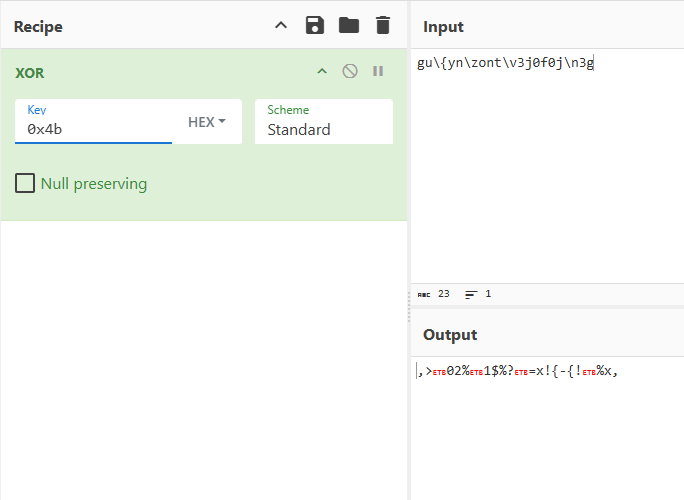
No result. Then I try the XOR Key bruteforce method in cyberchef and I think I hit something.
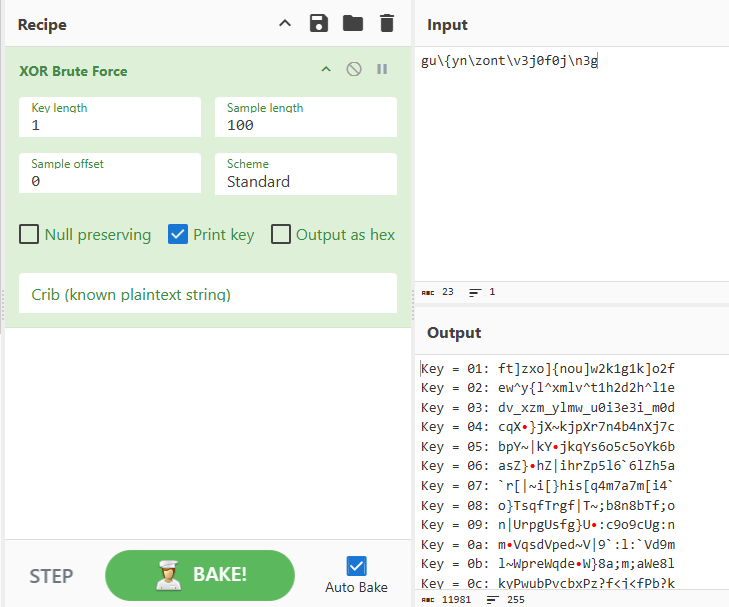
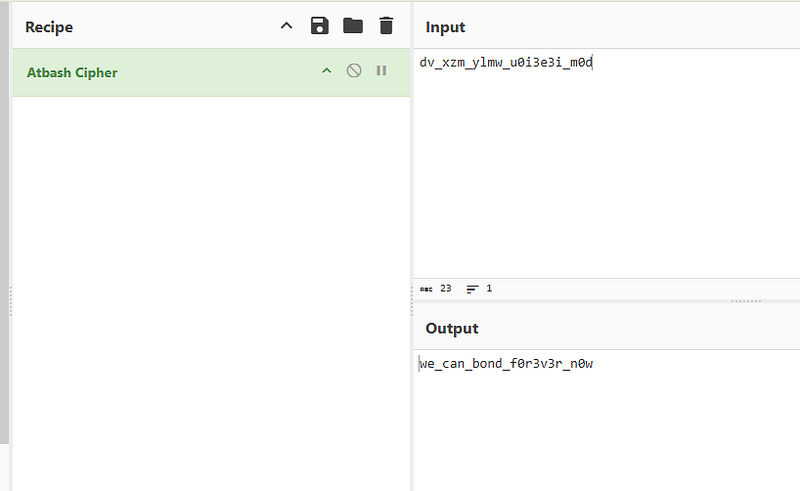
see the text with the key 03. Yes that seems to be encrypted with something. Putting it in our trusty cipher identifier we get:
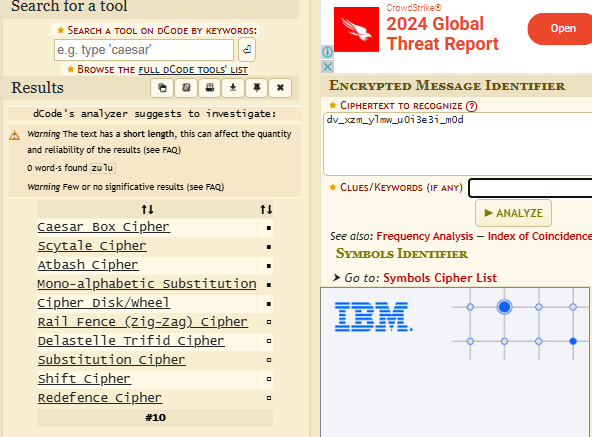
Out of all these, Atbash cipher seems to work. And you get the flag!
2. Let’s Vibe
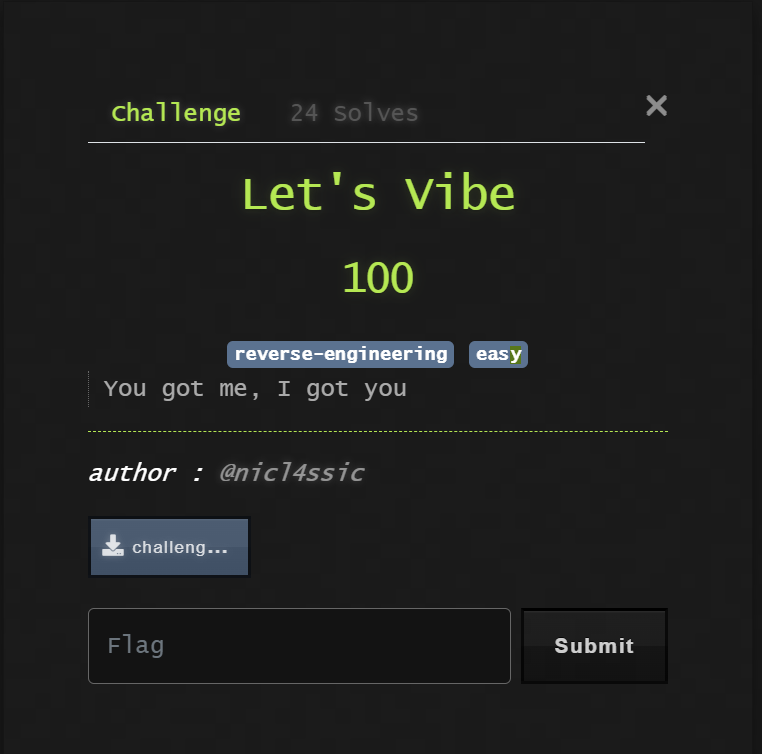
We were given a ZIP file containing a mysterious file named `vibe`. Let’s dive in to discover what’s inside!
## Step 1: Initial File Inspection
Running a quick check:
bash $ file vibe vibe: data
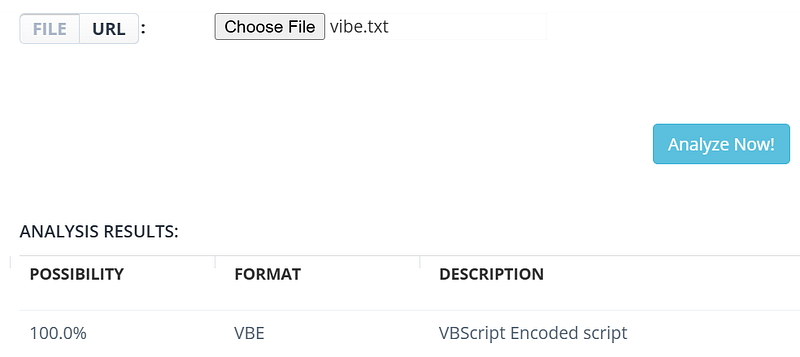
This didn’t provide much insight. After uploading it to (https://www.checkfiletype.com/), I found that it’s identified as a **VBScript Encoded Script**.
## Step 2: Decoding the VBScript
After a bit of research, I found a Python script that can decode VBScript-encoded files. Here’s the code snippet:
#!/usr/bin/env python3
import argparse, sys, os, re
from colorama import Fore, Style
Initialize argparse for command-line arguments
parser = argparse.ArgumentParser(description=“Decode an encoded VBScript (.vbe file)”)
parser.add_argument(‘files’, metavar=‘file’, type=str, nargs=‘+’, help=‘file to decode’)
parser.add_argument(“-o”, “–output”, metavar=‘output’, type=str, default=None, help=‘output file’)
args = parser.parse_args()
Main decoding function
def decode_data(data: str):
decoding_offset = 9
decodings = […] # Full decoding table here
combinations = […]
replacements = [(‘@&’, ‘\n’), (‘@#’, ‘\r’), (‘@*’, ‘>’), (‘@!’, ‘<’), (‘@$’, ‘@’)]
for to_replace, replace_with in replacements:
data = data.replace(to_replace, replace_with)
# Decoding byte sequences based on ‘voodoo’ encoding
result, index = [], -1
bad_bytes = [60, 62, 64]
for char in data:
byte = ord(char)
if byte < 128:
index += 1
if byte == decoding_offset or (31 < byte < 128 and byte not in bad_bytes):
char = decodings[byte - decoding_offset][combinations[index % 64]]
result.append(char)
return “”.join(result)
Running the decoding process
def decode_files(files: list):
return ‘\n’.join([decode_file(file) for file in files])
def main():
if not args.output:
sys.stdout.write(decode_files(args.files))
else:
with open(args.output, ‘w’) as handle:
handle.write(decode_files(args.files))
if name == ‘main’:
main()
I ran the decoder script with the following command:
bash $ python3 solver.py vibe -o decoded
[+] success, wrote decoded vbscript to ‘decoded’
## Step 3: Revealing the Flag
With the `decoded` file ready, I inspected its contents:
$ cat decoded
’ Author: @nicl4ssic
MsgBox (“What do you need here?”)
MsgBox (“Oooh, you are looking for flag?”)
’ MsgBox (“Here it is urchinsec{v1bing_w1th_VBS_d8e3ca}”)
MsgBox (“Keep looking..😂😂”)
**Flag Found**: urchinsec{v1bing_w1th_VBS_d8e3ca} — — And there we go! The VBScript was crafted to distract us with playful messages, but the true flag was hidden in the comments. Mission accomplished!
3. Drift
Step 1: Analyzing Pcap file
We open the pcap file and find alot of packets, I first try to find any http packets, because those are the ones to be found first only. I found this packet which seemed to be interesting.
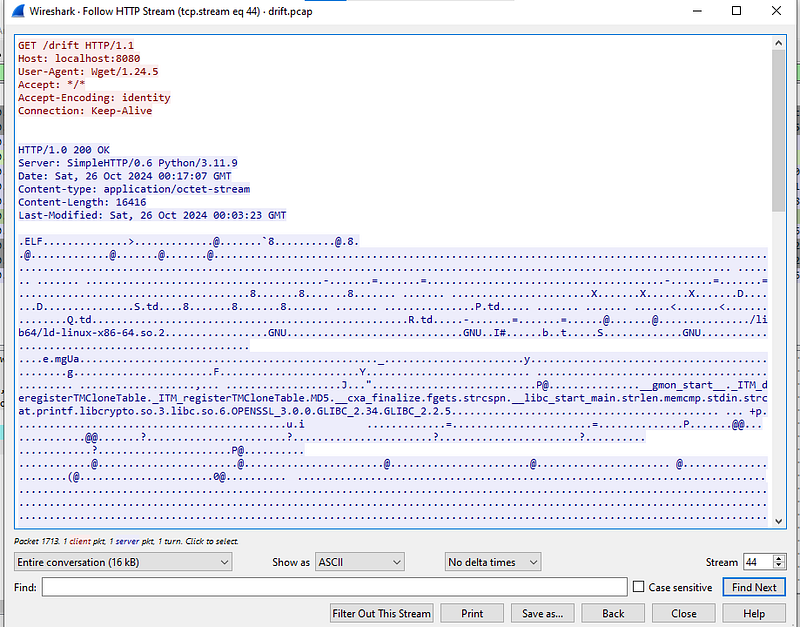
This packet seems to contain an elf file which is basically a linux binary file. I extract this file from the pcap file using the export objects feature of wireshark.
Step 2: Decompiling the binary
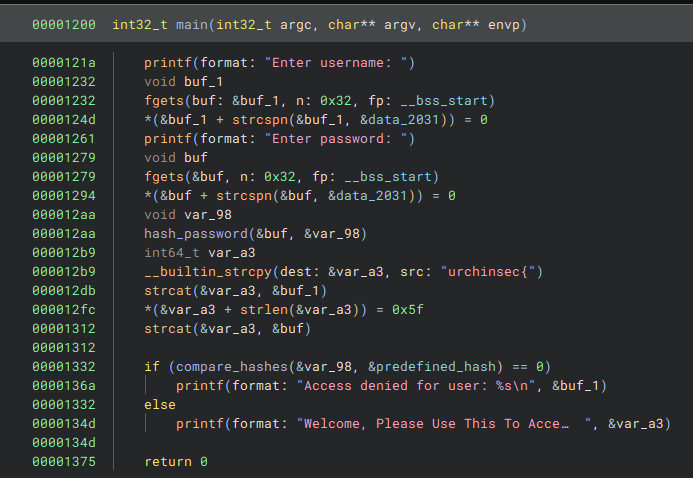
I tried decompiling the binary using dogbolt.org but I didn’t get the complete code so I used binary ninja to decompile. This is the main() function:
This is the compare_hashes() function:
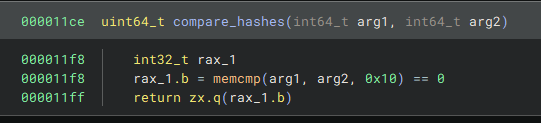
So now I just try to find the hash value which is being used. And I found it in the main function itself

Now I put this hash into crackstation.net and I get the cracked!
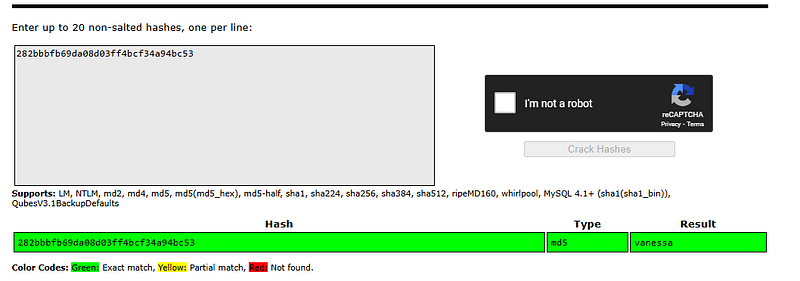
But this is not the flag, the flag is along with the username. So our flag is:
urchinsec{admin_vanessa}
4. Panel
Code Overview
The function check_secret takes a string input a1 and checks for a specific secret code. The key to this challenge is understanding each part of the function and calculating values to match specific conditions. —
Key Steps and Calculations
- Input Parsing with
**strtol**
- The function parses
a1as a long integerv7usingstrtol. - If parsing overflows, it triggers error code
34, displaying:
“None Found In Range”
- If the input
a1doesn’t contain any numbers, it shows:
“No Secret Code Was Found”
- Secret Code Check (
**v7 == 133739**)
- If parsing is successful and
v7matches 133739, we proceed to calculate the flag.
— -
Finding the Required Input Length (15 characters)
To reach the final condition, v4 / 7 must equal 267478. This gives us a formula to solve for v6 (length of a1): [ v6 = \frac{7 x 267478 + 133739}{133739} = 15 ] So, a1 needs to be 15 characters long. —
Flag Calculation
With v6 = 15, we proceed as follows:
- Calculate
v4:[ v4 = 133739 x 15 - 133739 = 1872346] - Plugging
v4into the flag formula:[ flag = urchinsec{ 1872346 + 2006085 } = urchinsec{3878431}]
— -
Final Solution
The flag for this challenge is:
urchinsec{3878431}