
In this post I am covering the ManyDoc Challenge from BsidesMumbaiCTF competition which is under the forensics Category.
For this challenge you are provided with a zip file named “ManyDoc.zip” and after extracting the contents of the zip file you get the following files:
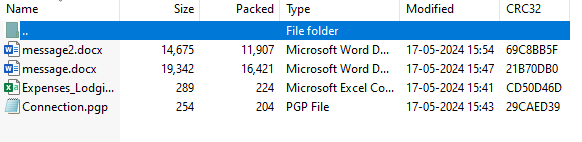
ManyDoc.zip
Now knowing one thing was a key to solving this challenge. Every word document is actually a zip file so if like you rename message.docx to message.zip you can actually extract the stuff from it. So I did the same because I couldn’t find anything usefull in Connection.pgp (no key), Expenses_Lodgistics.csv didn’t have any important information and message2.docs also didn’t but message.docx was interesting because it did not have any pages. After extracting the message.zip file these are the contents (every word file has these nothing exceptional):
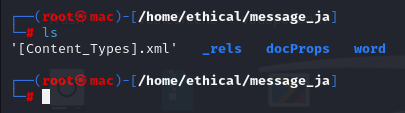
message.zip
After navigating for a bit you would find this file called vbaProject.bin in the “word” directory and thing file contains all the information about the vba and macros being used in the document file, so I did what any sane CTFer would do, no I didn’t use any fancy tool, I used the God of all “cat” on the vbaProject.bin and I was scrolling through the output like a madman but I found something interesting in the output:

Interesting
If you see, there’s written “Convert from base64” and a String after that which I deduced to be Base64 encoded string so I went to decode it and Got the Flag!!
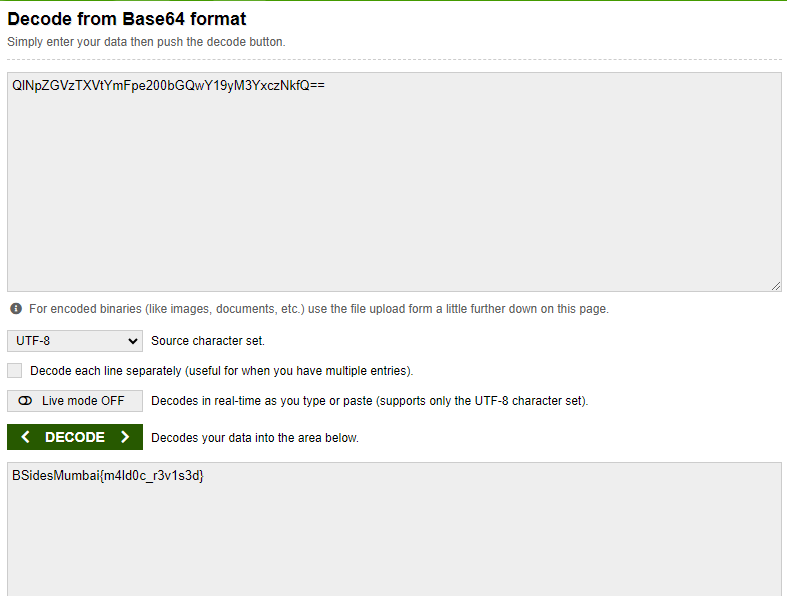
Flaggg