In this post I am covering 6/8 misc challs (which I solved during the Comp) from the BsidesMumbai CTF Competition. The Challs I am covering are:
1. Sanity Check!
2. Vadapaooo
3. Shadow Realm
4. Welcome
5. Potential APT
6. Data Breach
- Sanity Check!
Solution: The Flag for this challenge is hidden in the discord server of BsidesMumbai. You have you join the server and then you have to click on the “Browse channels” button and then you would find both the parts of the flag in the discord server
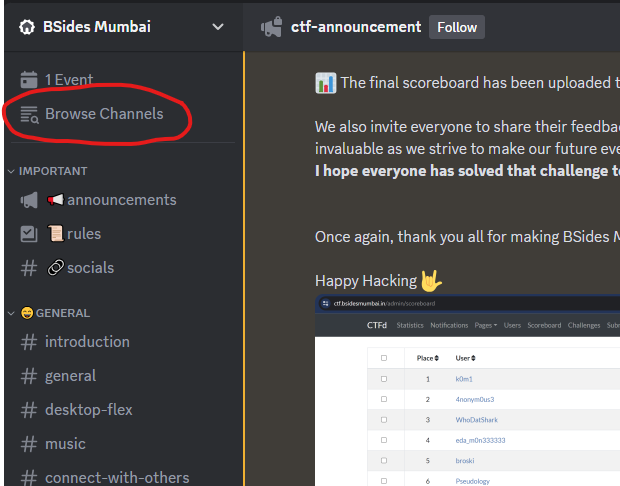
Browse Channels Button
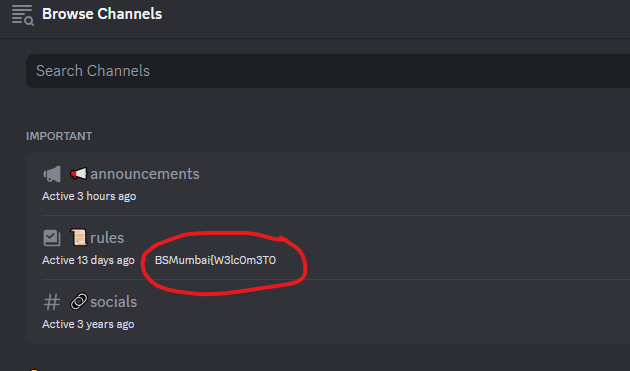
First Part of the Flag
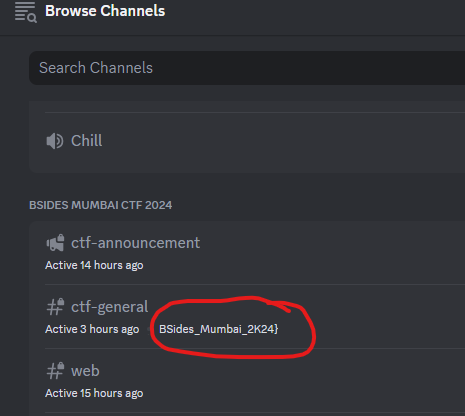
Second Part of the Flag
2. Vadapaooo
Solution: For this challenge, you are presented with a zip file with the name “vadapaooo.zip”. (Google drive link of the file, not official I backed it up: https://drive.google.com/file/d/19nv2MrAw1WZobnAxPJvW0Tm2egu-Yp66/view?usp=drive%5Flink ). Once you have downloaded the zip file and you open it, you are again presented with a file without any extension this time and it’s named “vadapaoooo”. For initial research I just opened the file in notepad to see if I could find something and I did! The file starts with “JFIF” which indicates that this is a JPG file.
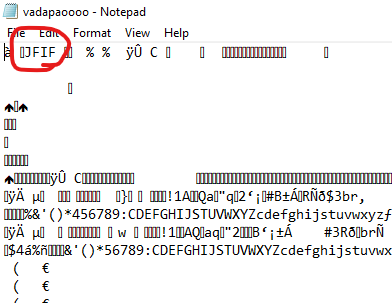
File starting with JFIF
Me being the mindless creature I am, immediately renamed the file to vadapaoooo.jpg and I was greeted with the below screen:
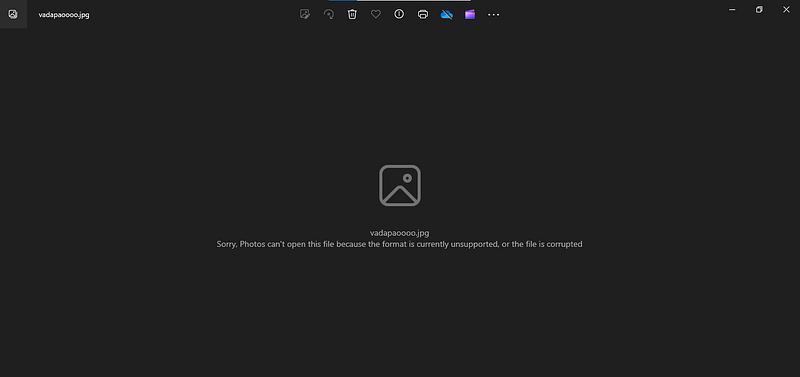
HAHA
Yea…. I trolled myself, now I was scratching my head trying to figure out something and after close observation and a bit of googling I noticed something off, the header was there but not completely. You see if I open the file we are given in hex editor, the following are the first 8 bytes in hex (header) of the file we are provided with:

The first 8 bytes of the file we are given
And the correct first 8 bytes (hex) of a jpg file are:

Correct first 8 bytes
If you notice observe carefully, the part of the hex from “e0” onwards is present so actually we have to only insert the first 3 bytes that is “ff d8 ff” and we will be done. So you could easily do this with any hex editor and once you do this you will have the following image:

Pretty normal image, right? NO! This image hides a message (I mean we all know that) but where!? and how!? Here you will be introduced to the concept of Steganography. I won’t go into alot of detail of what steg is but you can always google. When put into simple words Steganography means “The practice of concelaing messages or information within other non-secret text or data.” So After doing a bit of trial and error on the vadapao image I realised that Steganography was being made use of and I wouldn’t get the data in the normal way. You should have some Steganography tools in your toolkit for every data type like png, jpg, wav, etc. But with all of that aside I knew of steghide and stegseek at the time which worked on images and I ran steghide first on the image and I didn’t get anything…
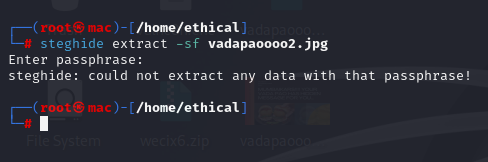
steghide
I tried “bruteforcing” alot of passphrases but just nothing seemed to work. Then I turned to my last hope, that is stegseek (Gosh I didn’t know if this wouldn’t work then what would) and I ran stegseek on the image and the results:
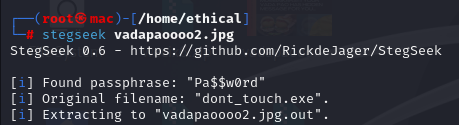
Stegseek
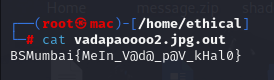
And YES! It worked!!! And it also gave the passphrase… So maybe if I had put in this passphrase into Steghide, I would’ve gotten the flag there itself. The output is saved in the vadapaoooo2.jpg.out file so I run the cat command on it, and we have the Flag!!
3. Shadow Realm:
For this challenge you are provided with a zip file named “shadow_realm.zip”. Once you extract the zip file you get two files namely “shadow” and “passwd”.

shadow and passwd files
Now if you have enough knowledge of Linux and its system files, you would know that the shadow file contains the hash of the passwords and in this case, it seems we have the hash of two users “bsidesmumbai” and “kali” and passwd file contains other useful and important details (totally not the phone number of the user’s crush). We have a handy tool which is used for cracking hashes known as “JohnTheRipper” or simply john. Now we cannot put in the shadow file itself in john tool as it does not have all of the information and that’s why we have the passwd file. Ther’es a command in linux called as “unshadow” and it is used to in simple words combine the information from both shadow and passwd file and make it a file that contains a hash that john tool recognises. I have saved the output of the unshadow command in a file named “myinput”.
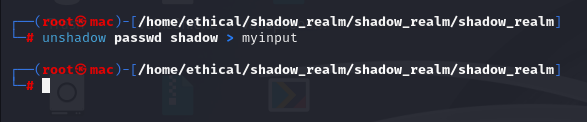
unshadow command
Now I try putting this file as input and am using the “rockyou.txt” wordlist (this wordlist contains about 14 million words and is provided in kali linux or you can google it if you don’t have kali linux).
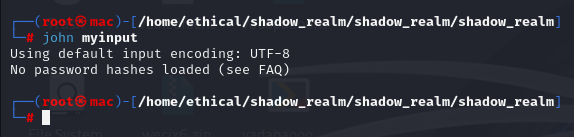
john tool run1
But what!? It failed. John tool still doesn’t recognise the hashes!? Now you might be thinking how fraud of a person I am but I’m not! :D You just have to add “ — format=crypt” in the command
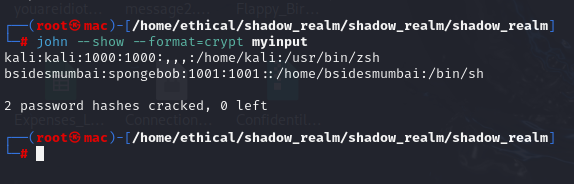
and it runs perfectly fine and you run the show command in john tool to get the cracked hashes and the password you get for the bsidesmumbai user is the answer, that is BSMumbai{spongebob} is the Flag.
4. Welcome:
If anyone were to ask me “what was one challenge that I completed and facepalmed after solving it and knowing how I solved it” Then that award goes to this challenge. This challenge provides you with close to no information, just stating that there’s a flag hidden in the BsidesCTF realm. Now that doesn’t get you anywhere. I tried inspecting the challenge page, trying to explore the BsidesCTF page (the main one, not BsidesMumbai don’t ask me why), trying to scavenge for some user or doing literally everything I could think of to make progress in this challenge. But I found nothing. While inspecting the home page of the tf I also decided to look at the network traffic and I found something “flag.zip”?
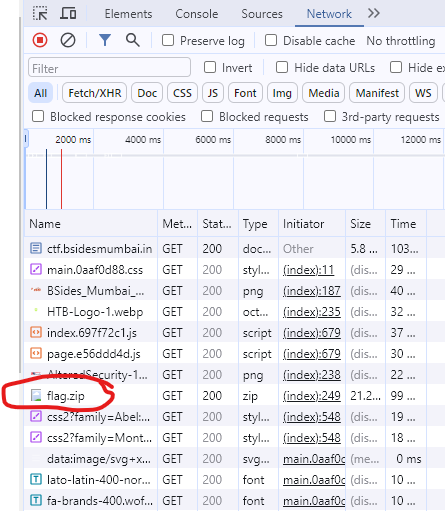
flag.zip identified
At first it seemed suspicious like really? A flag just overhere in plain sight? But I nonetheless I copied the URL of the file(https://ctf.bsidesmumbai.in/files/b4dfc3076f78df9f7aba56f353b77e7d/flag.zip) and decided to download it and after extracting the contents of the zip file. And I found two images
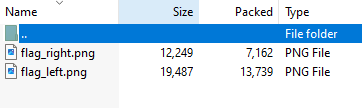
two parts of the flag
I tried opening flag_right.png and got a part of the flag?
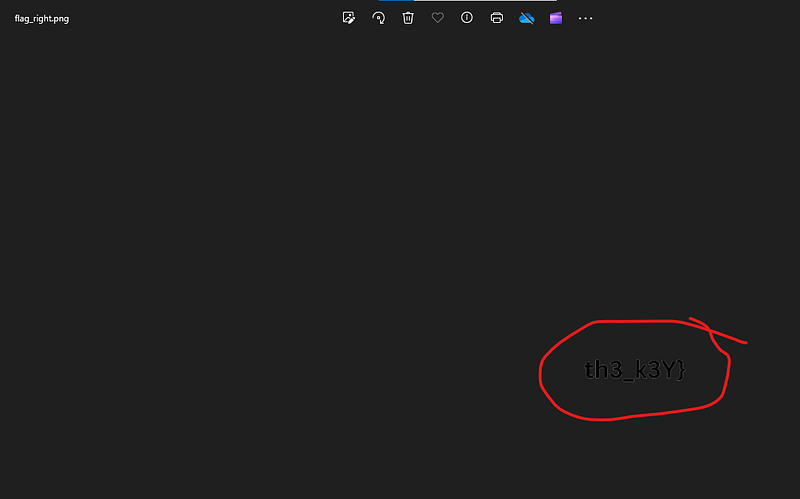
flag_right.png
and I tried to open flag_left.png but windows doesn’t support the format! Amazing!
flag_left.png
Now Head-Scratching moment once again…. I again opened it up in notepad and once again Header-fixing time!!!!
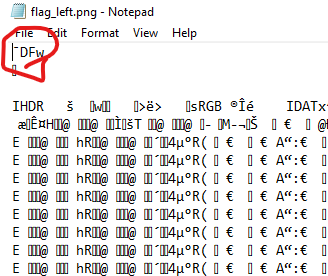
png header fix
Now I googled for the png image header. And this is what I found: (the link to this resource: https://asecuritysite.com/forensics/png?file=%2Flog%2Fbasn0g01.png)
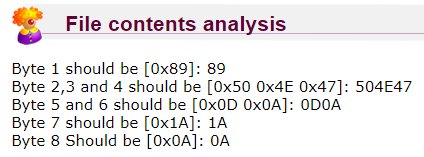
png header
And the header of the file we have is something like this:

flag_left.png header
After comparing both the things you would find that the first four hex bytes are wrong and after changing it you can finally open the image:
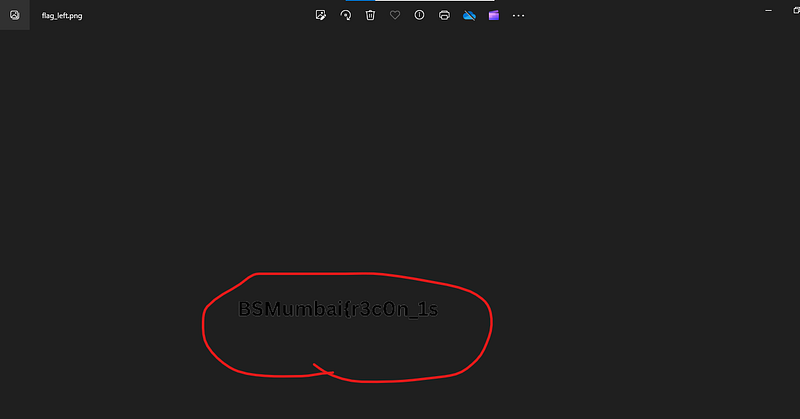
flag_left.png
5. Potential APT
(I forgot the description of this challenge but it was some good nice story)
For this challenge, you are provided with a zip file named “infiltrated_data.zip” after opening it you see two files, namely system and sam
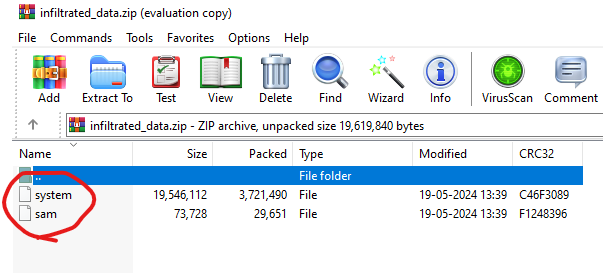
system and sam files
So these sam and system files in simple are the windows equivalent of the shadow and passwd files so I won’t go into too much of detail of how they work, etc. But the process of cracking the hashes from these two files is a bit interesting. You have to download a tool called “mimikatz” which is used to convert the information from these two files into a hash which we can actually feed into john and crack (in basic sense the windows equivalent of unshadow command). Once you have downloaded and installed the mimikatz tool and you run it you would get the following interface:
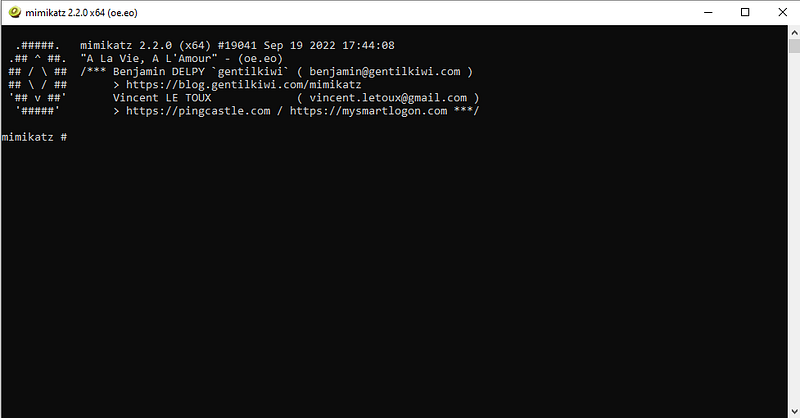
mimikatz
Now we have to run a command in here which would do the “conversion” thingy.
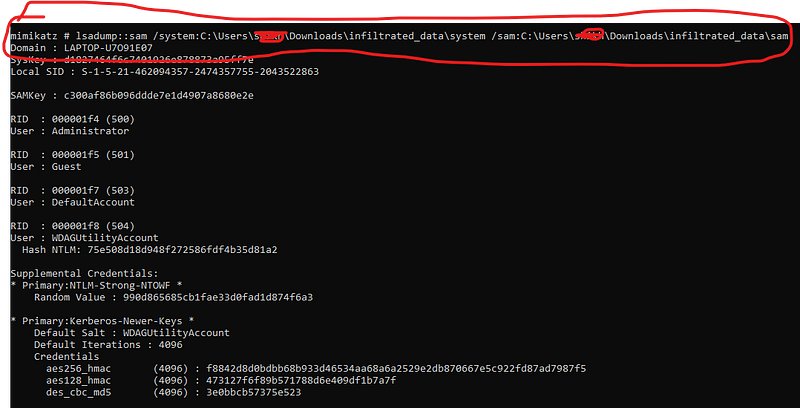
mimikatz dumping hashes
The first line is the command and I’ll explain it here, so the “lsadump::sam” basically means that we have to dump the hashes from a sam file so this command specifies this to the program. “/system:path_to_system_file” is basically specifying to the program where and which system file to use and same for the “/sam:path_to_sam_file” and now the output is very big so I couldn’t fit it in one screenshot so we’ll go through it step by step. First we have the hash of this User called “WDAGUtilityAccount” which I didn’t realise during the time of the competition but it’s a windows defender account. Just copy the hash and paste it in notepad or a text file. Other information is not necessary as of this CTF scenario but might be if you are doing a real pentest or a real research project.
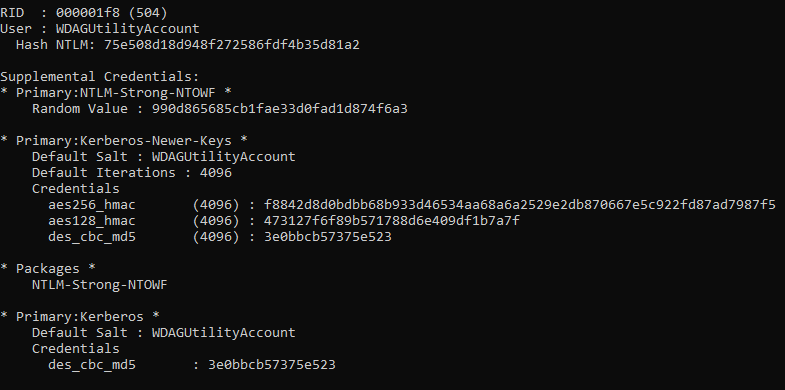
WDAGUtilityAccount
Next Up we have a user named “Abhisar Pandey”, I don’t know who he is and was but I just made a note of the hash
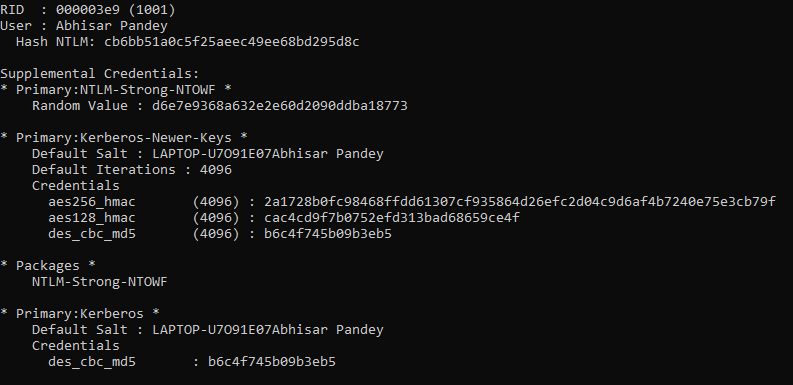
Abhisar Pandey
Next we have a user named “thelittlemermaid”, the author of the challenge.
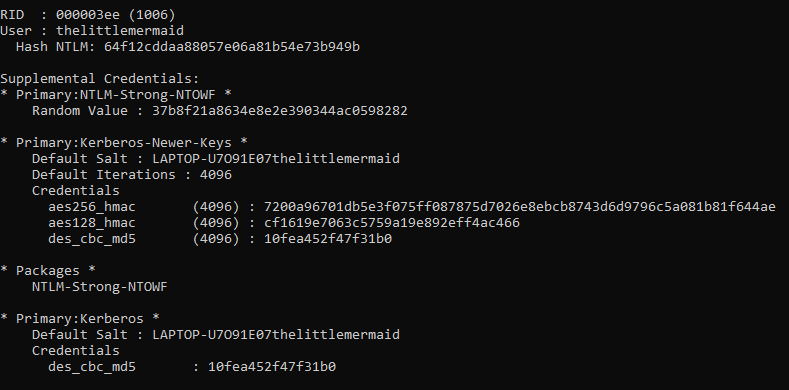
the little mermaid
So in total we have three hashes, now onto kali linux for cracking these hashes. I have saved all the three hashes in a file called “johninput”
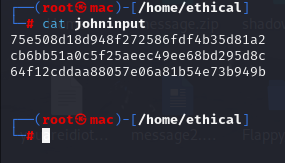
three hashes
And now to crack the hashes, we can use the same command from shadow_realm challenge, but this time the format to specify is “NT” because windows uses NTLM hashes.
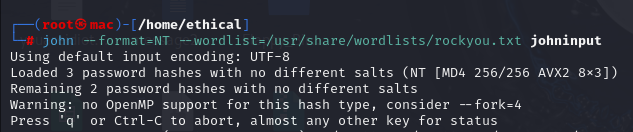
john command
And to see the output the same command.
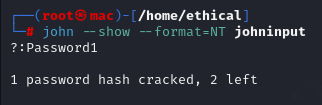
cracked hashes
and Voila we have the flag, that is BSMumbai{Password1}. It shows a question mark because we didn’t specify the user in the johninput file and only the hash
6. Data Breach:
This challenge also follows the same kind of pattern from the shadow_realm and Potential APT so I will go through this writeup like a breeze but not too fast at the same time (I’m insane idk what I’m saying). For this challenge we are given a zip file called “Data_Breach_Files.zip” and after opening it we get the following:

Data Breach Files
The Confidentil_Document is another zip file which this time contains the flag but is password-protected, so that’s a dead end. We take a look at Data_leak folder but it just has 25 word document files and all of them seem completely useless. So the next idea I think of is cracking the zip file password. There’s a tool called zip2john which does the task of converting the password of the zip file into a hash john can recognise. I have saved the output to a file called “myinput”.
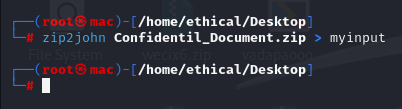
zip2john
Now taking this file as the input we run it into john and wait for john to crack the hash. I also ran the show command and you can see the password is Ch@rlotte.
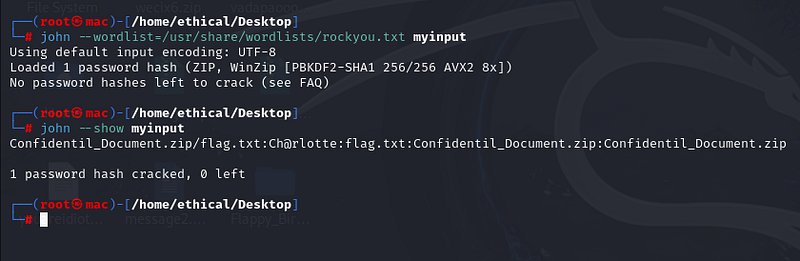
password cracking
Now after using this password for opening the zip file, We get the flag!
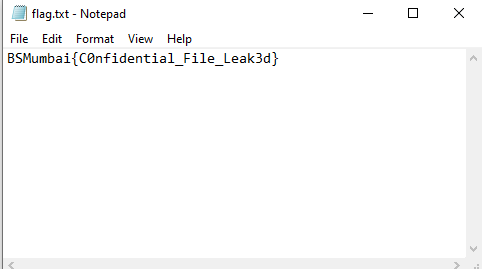
flag!!!
And this is it for the 6 challenges in the Misc category that I had solved during the course of the competition!! Hope you liked them!